OpenAEC Ecosystem
Open BIM Studio
A BIM modeller with a deliberately wide reach. At one end as direct as sketching: push, pull, try something and throw it away. At the other end properly technical: building systems, reinforcement, connections and drawings from the same model. All on IFCX.
A look at what we are building. There is a preview for testers, but you cannot model a project in it yet.
What will Open BIM Studio be?
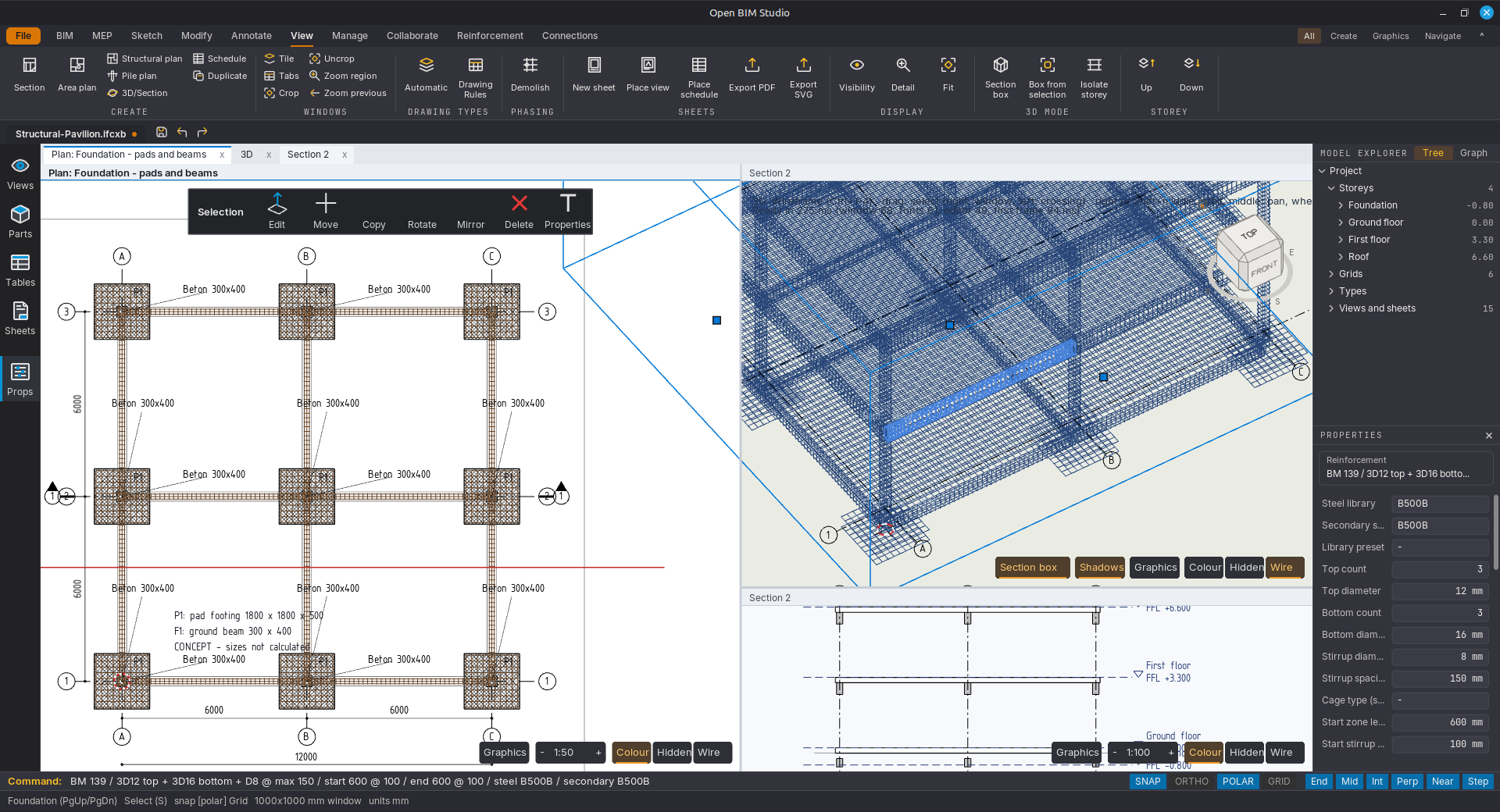
Open BIM Studio is an open-source BIM modeller from the OpenAEC Foundation. You create and edit a building model, inspect it in 2D and 3D, and develop drawings, reinforcement details and schedules from that same model. The interface is native, on Vulkan, and the CAD kernel is written in DynLex, our own programming language.
Direct modelling with grips, snapping, Push/Pull and face splitting
Parametric building systems, window systems, stairs and railings
Reinforcement: bars, cages, stirrups and meshes, with position marks and schedules
Connections with plates, bolts and screws
Plans, sections and sheets from the model, as PDF or SVG
IFCX as the project format, with IFC import and export
BIM · DynLex
Why Open BIM Studio?
BIM software usually makes you choose: a quick sketching tool where you try out forms freely, or a heavy package that knows everything about construction but feels slow. Open BIM Studio wants to be both, in one application: you start by pushing and pulling a mass and develop the same model all the way to reinforcement and connections.
Everything lives in IFCX, the open data format of the OpenAEC ecosystem. What you model is readable straight away by the other tools — and by anyone who opens the file.
What is already in it
Building model
Levels, grids, layered walls, floors, roofs, ceilings, openings, beams, columns, piles and spaces.
Direct modelling
Selection, grips, numerical properties, snapping and transforms. Boundary editing with Tab, Push/Pull and face splitting.
Parametric systems
Building-system types with frames and panels, hosted window systems, stairs, railings and component libraries.
Reinforcement
Parametric bars, cages, stirrups, area reinforcement and meshes, with position labels, schedules and Dutch or international notation.
Connections
Modular connection nodes, member voids and added parts such as plates, bolts and screws.
Drawings from the model
Plans, sections, 3D views, section boxes, dimensions, tags, drawing standards and sheets, output as PDF or SVG.
Interchange
IFC import and export, IFCX and binary IFCX as the project file, and DXF as reference geometry.
Automation
A local API and an MCP adapter, so scripts and AI assistants can carry out operations in the editor.
Built in DynLex
DynLex is the programming language we are developing ourselves. Its syntax reads almost like English and compiles to native code through LLVM, so the modeller addresses the GPU and the CPU directly, with no runtime in between.
The language is deliberately small, and that is exactly why development goes so fast — for people, and as it turns out even more so for AI.
Not ready for projects yet
Open BIM Studio is a development preview. A Linux version is ready for anyone who wants to help test; a tested Windows version is not there yet. Follow the development on GitHub, and report what you run into.
What we are still working on
- The features above are areas that have been built, not a promise that every combination is complete and validated.
- The Windows version is in the repository, but there is no tested installer yet; the preview runs on Linux with Vulkan.
- Performance on large models and a full test of the interface are still in progress.
- IFC and IFCX support is still growing and is not a certification. Not every imported object becomes fully parametric and editable; keep your source files.
Technology
The BIM logic, the tools and the geometry are written in DynLex. The model keeps the semantic objects, a separate layer derives the geometry from them, and the drawing and scene modules turn that into 2D and 3D views.